Back to modules Core module

Inventory

Manage products, stock, suppliers, and purchase orders from one workspace.

Products, stock, and purchasing connected

Base page ready to describe the real UX of Inventory.

Module view

Inventory in operation

248 organized data
12 visible pending work
6 clear actions
99% reports ready
Core Inventory flow
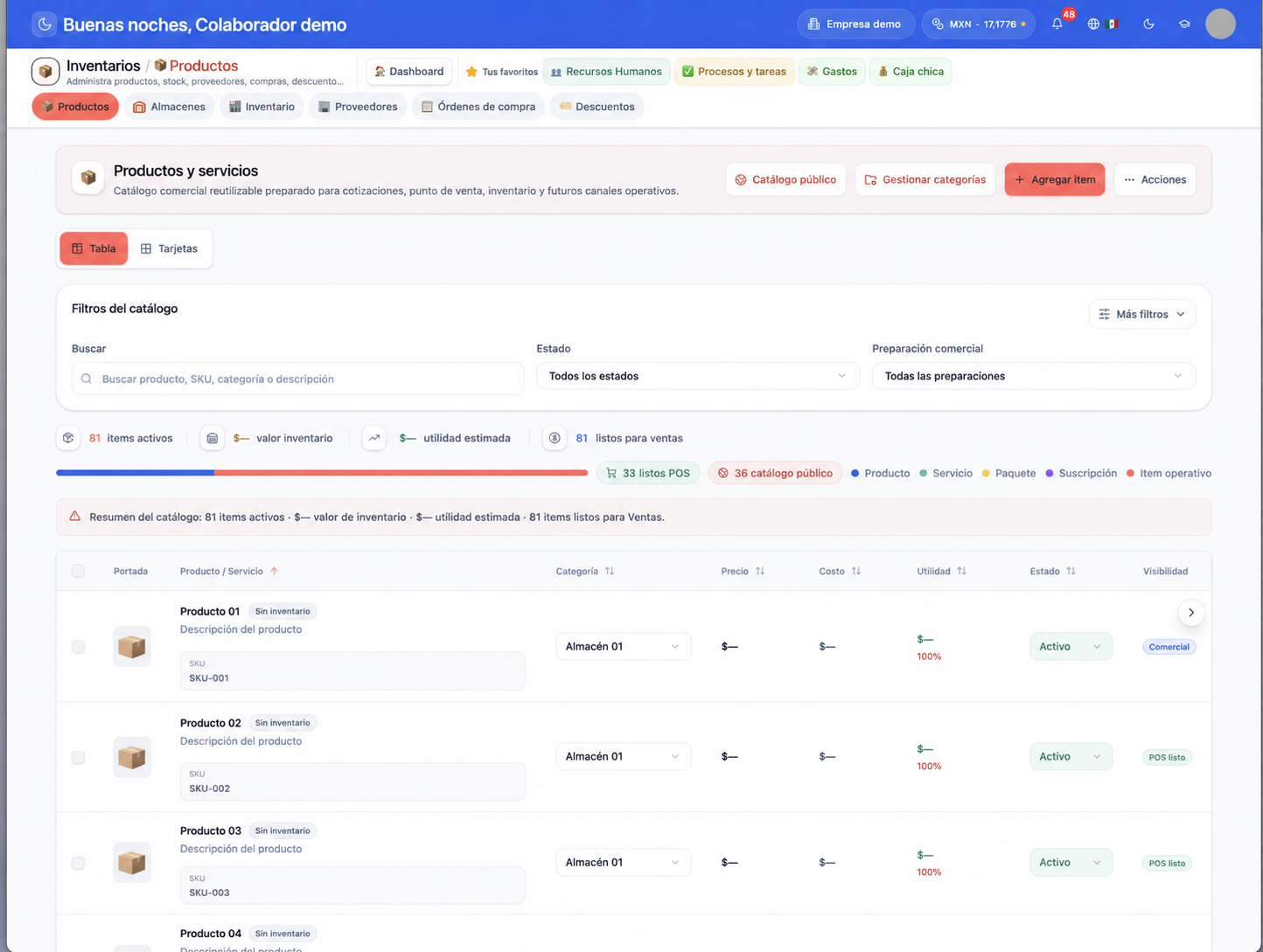
Keep a product catalogue ready to sell Module foundation
Active
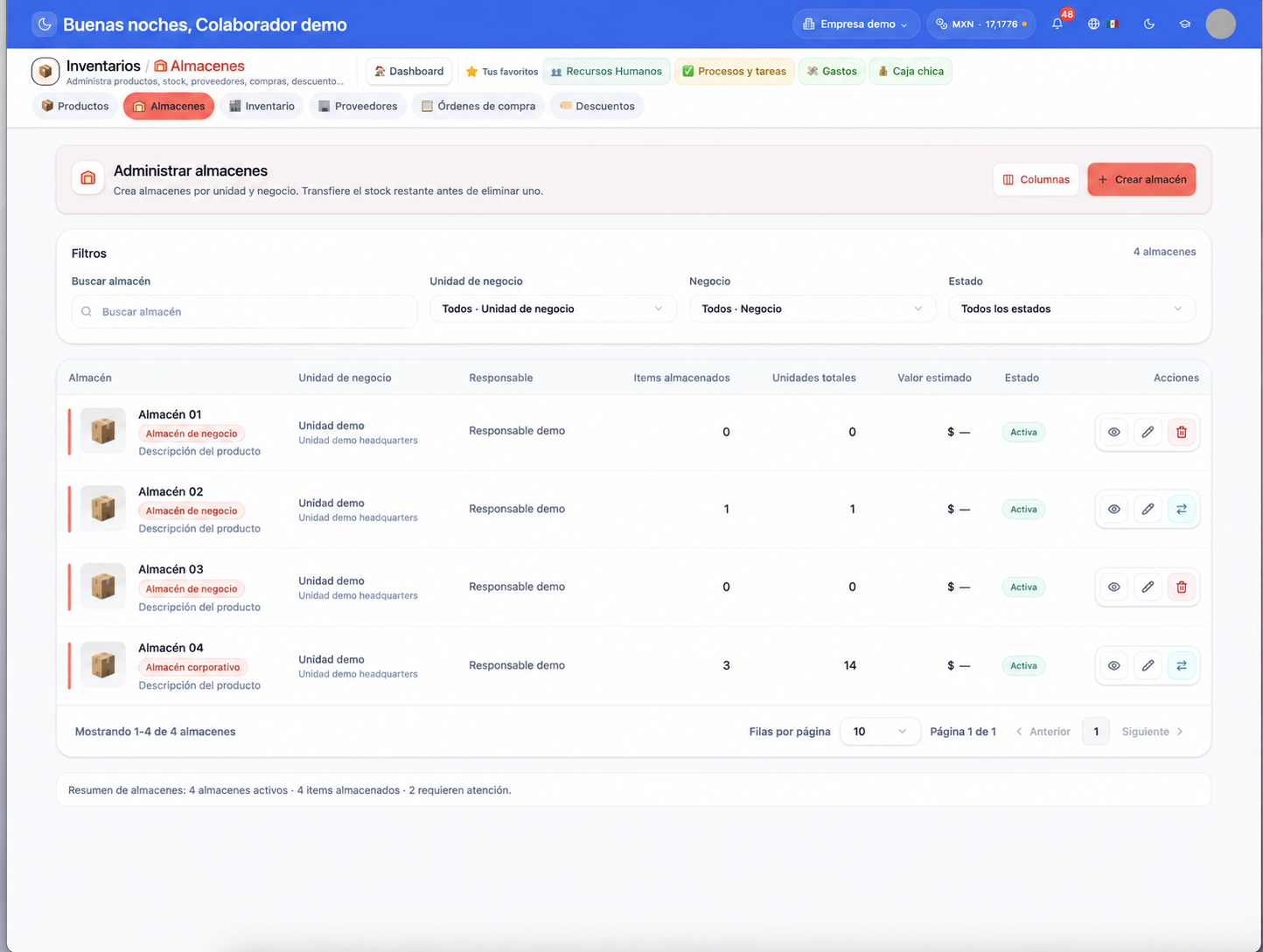
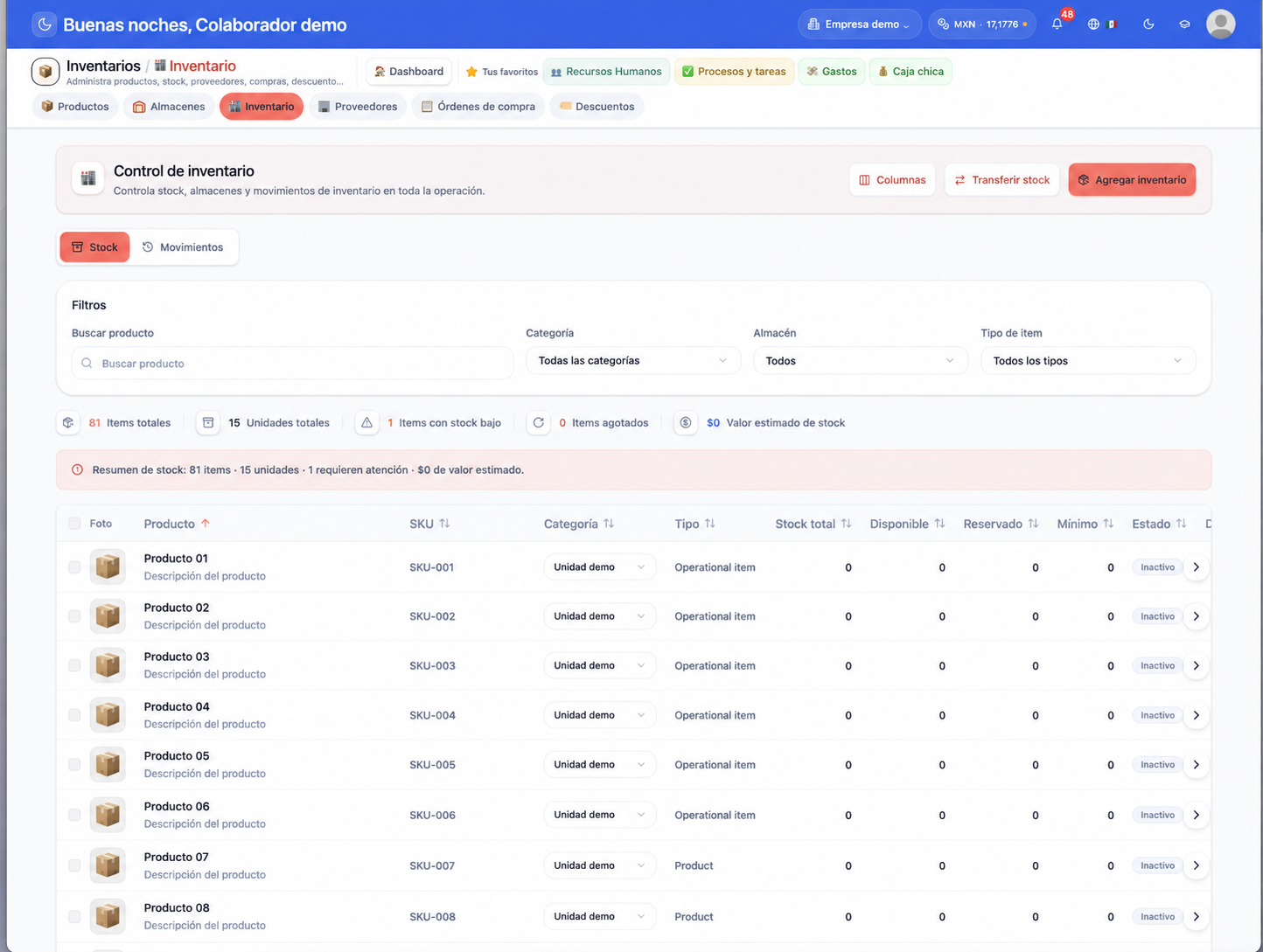
Control stock and movements by warehouse Daily follow-up
In progress
Coordinate suppliers and purchase orders Operational decision
Pending
Pending
  • Review Keep a product catalogue ready to sell2
  • Follow up on Control stock and movements by warehouse5
  • Turn Coordinate suppliers and purchase orders into a decision1
Inventory stays connected with the rest of operations.
What it solves

Inventory turns scattered work into visible control

This is a first commercial structure. Later we will replace it with the real module detail.

Inventory information spread across messages, sheets, or memory.

Manual follow-up that depends on someone asking on time.

Unclear owners and little traceability.

Late decisions because data is not connected.

Key features

What Inventory should show

These cards are a base for turning each feature into a sharper explanation.

Keep a product catalogue ready to sell

Explain the value of Keep a product catalogue ready to sell with a concrete operations example.

Control stock and movements by warehouse

Show how Control stock and movements by warehouse reduces manual work and improves follow-up.

Coordinate suppliers and purchase orders

Ground Coordinate suppliers and purchase orders in a useful owner decision or report.

How it works

Base flows to explain Inventory

Each flow leaves room to describe real screens, actions, and results.

Organize the main Inventory information

The first view should answer what is happening and what needs attention.

  • See key module data without searching in many places.
  • Identify pending work, owners, and current status.
  • Connect Inventory with daily operations.

Follow up without chasing anyone

The module should show progress, blockers, and important changes.

  • Record actions and keep evidence.
  • Keep history by operation, owner, or period.
  • Reduce follow-up through scattered messages.

Assign clear owners for each action

Operations improve when each pending item has an owner and a date.

  • Define owners by area, unit, or process.
  • See what is assigned and what is still pending.
  • Escalate important issues before they get lost.

Turn data into decisions

The module close should help understand results, risks, and priorities.

  • Summarize data by day, week, branch, or team.
  • Detect trends and exceptions.
  • Prepare actionable reports for leadership.
Who it is for

Ideal for businesses that need more control in Inventory

Later we will tune this section with industries, cases, and real module pains.

Businesses with daily operations and owners by area.
Teams that currently work with messages, sheets, or manual processes.
Companies with multiple units, shifts, or branches.
Owners who need clear information before deciding.
Next step

Let’s make Inventory sell itself

This page is ready as a base. The next step is replacing it with real module detail.